Business Listing Information Retrieval and Updating
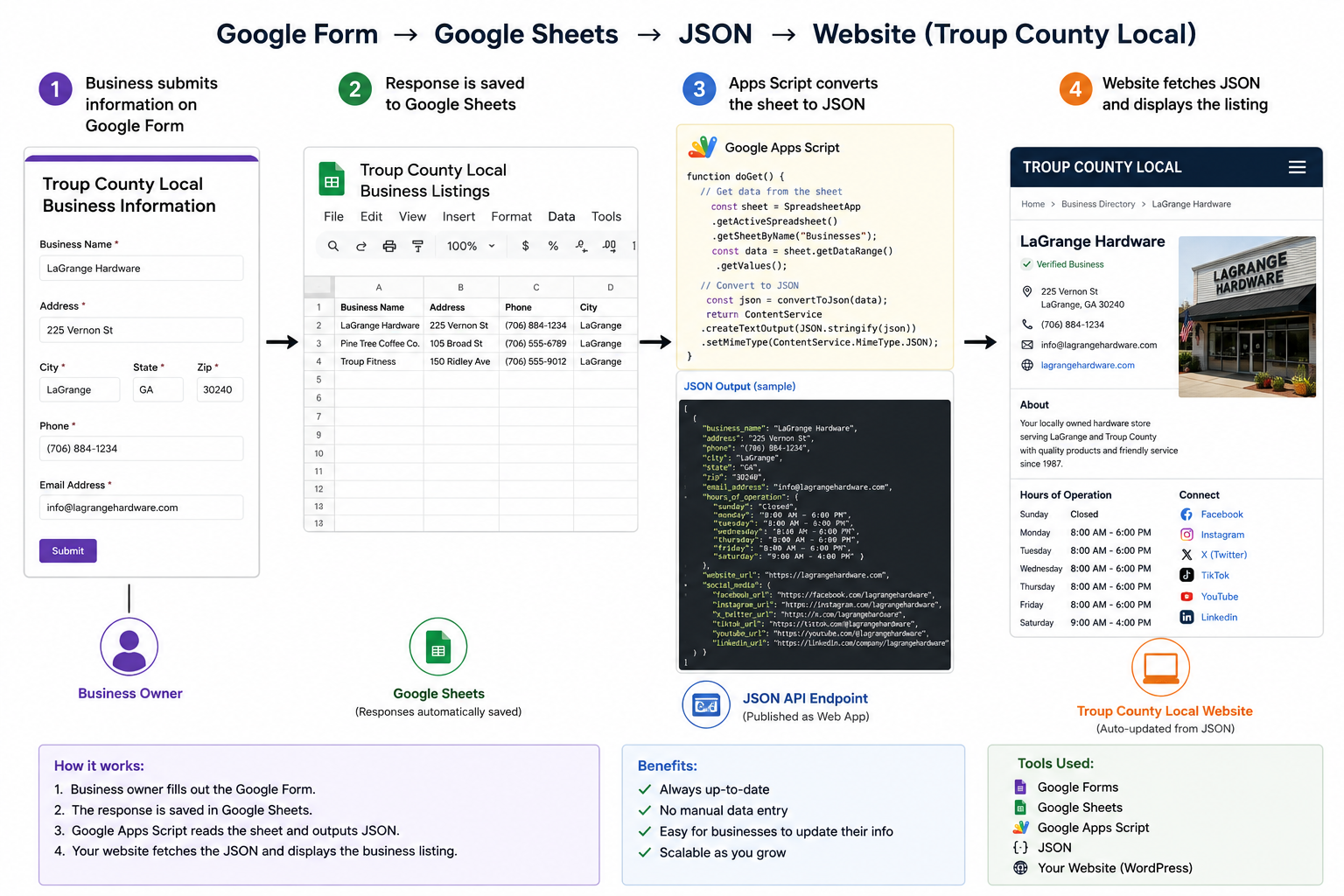
Google Forms
Google Forms should be reviewed and updated regularly to ensure businesses are providing the information that customers are actively looking for today. As consumer expectations and online marketing trends evolve, new fields such as social media profiles, online ordering links, appointment scheduling, menus, promotions, and additional services may become important additions to a Business Listing Profile. Regularly refining the form helps keep business listings relevant, complete, and more valuable to both local shoppers and search engines. An effective Business Listing Profile is not a one-time project but an ongoing process of improvement and adaptation.
Google Sheets
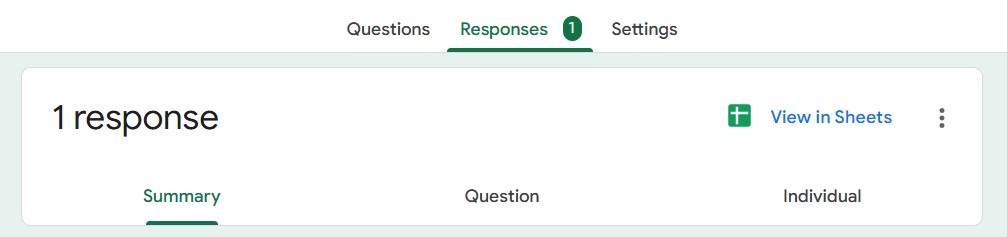
Once the Google Form has been created and begins receiving submissions, the responses can be automatically converted into a Google Sheet by clicking the “View in Sheets” icon located in the upper-right corner of the “Responses” tab within Google Forms.
This creates a live connection between the form and the spreadsheet, allowing every new business submission or update to be instantly added as a new row in Google Sheets.
The spreadsheet then becomes the central location for managing, reviewing, and processing business listing information before it is converted into JSON and displayed on the Troup County Local website.
Google Apps Scripts to JSON
After the Google Form responses have been collected in Google Sheets, a Google Apps Script can be created to convert the spreadsheet data into JSON format for use on the website.
From within Google Sheets, select Extensions → Apps Script to open the script editor and create a new project.
The script reads each row of the spreadsheet, uses the column headers as JSON property names, and builds a structured JSON object for every business listing.
Once complete, the script can be deployed as a web app or API endpoint, allowing Troup County Local to automatically retrieve the latest business information directly from Google Sheets whenever a listing is added or updated.
Business Listing Profile
Once the Google Apps Script is generating the JSON output, it can be deployed as a public web app by selecting Deploy → New Deployment choosing Web App as the deployment type, and granting the appropriate permissions to access the Google Sheet data.
The web app generates a unique URL that serves the spreadsheet contents as live JSON whenever it is requested.
This URL can then be used by your WordPress site to automatically fetch the latest business information using PHP, JavaScript, or the WordPress REST API. Because the JSON is generated directly from Google Sheets in real time, any updates submitted via the Google Form are reflected on Troup County Local without requiring manual data entry or website updates.
Assume your deployed Apps Script endpoint looks something like this:
https://script.google.com?utm_source=chatgpt.com
The JSON returned from the endpoint might look like this:
This URL can then be used by your WordPress site to automatically fetch the latest business information using PHP, JavaScript, or the WordPress REST API. Because the JSON is generated directly from Google Sheets in real time, any updates submitted via the Google Form are reflected on Troup County Local without requiring manual data entry or website updates.
The JSON returned from the endpoint might look like this:
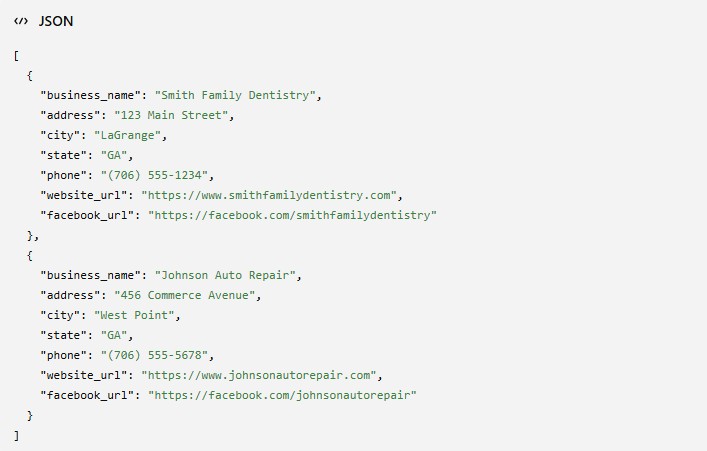
Your WordPress template can retrieve this live data using wp_remote_get():
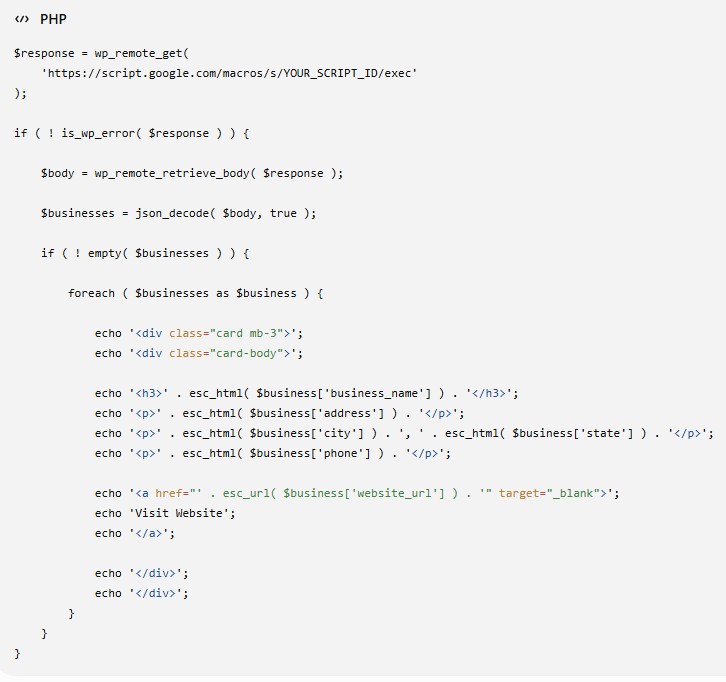
For better performance on a production directory such as Troup County Local, you may want to cache the JSON response using WordPress transients so your site is not requesting the Google endpoint on every page load.
For example:
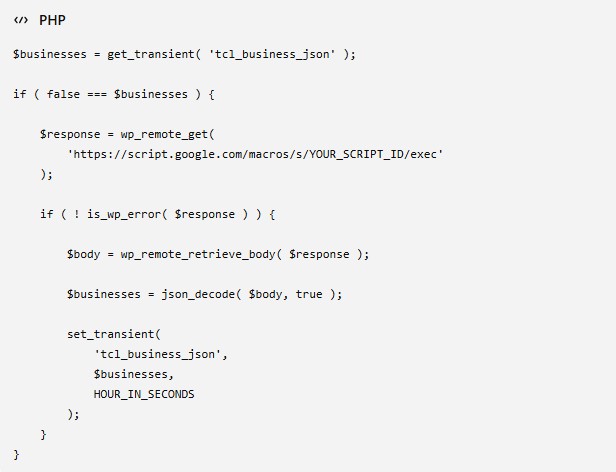
This approach reduces calls to Google from potentially hundreds or thousands per day to only once per hour while still keeping listings reasonably fresh.
Additional documentation can be found at: